
Choose a Character and Send an Invite
- Make sure the player you want to challenge is in the same server.
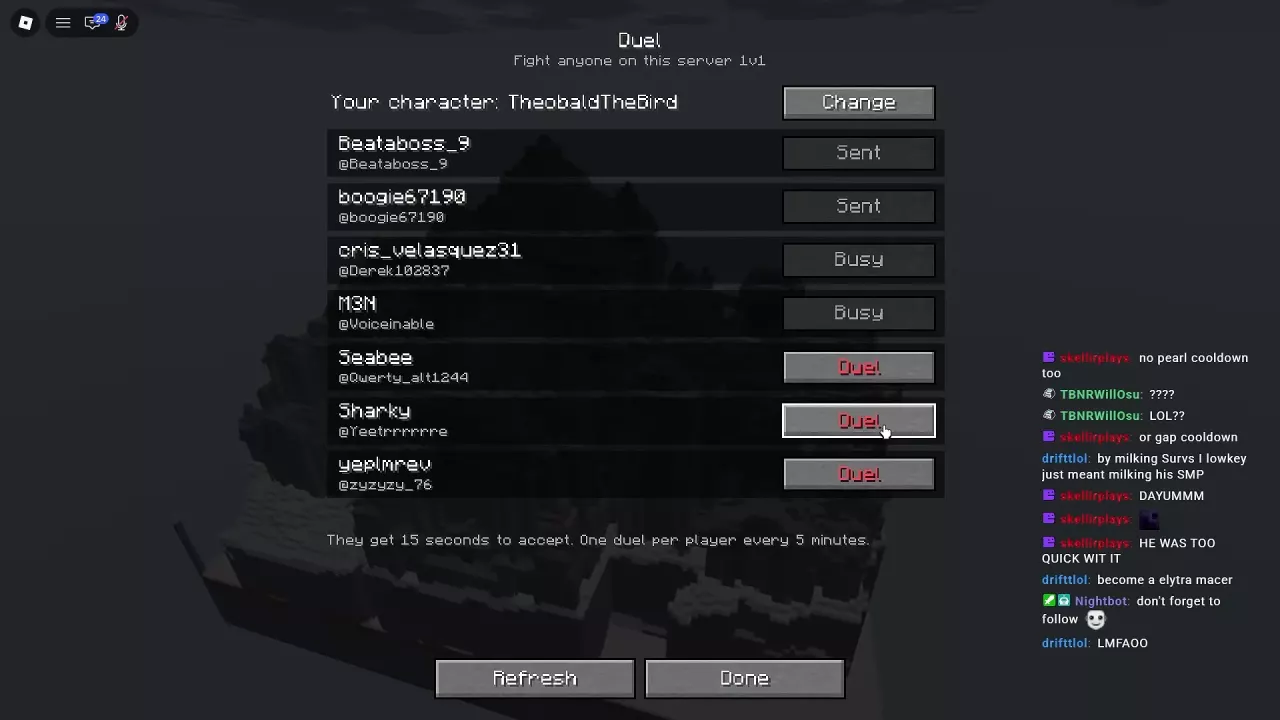
- On the title screen, select Duel to open the player list.
- Check the character shown at the top. Select Change if you want a different kit.
- Select Duel beside an available player and wait for them to accept. An accepted invitation starts a one-on-one duel.
Use Refresh to update the player list or Done to leave the menu. For other ways to switch kits, see how to change character.
Accept or Decline Within 15 Seconds
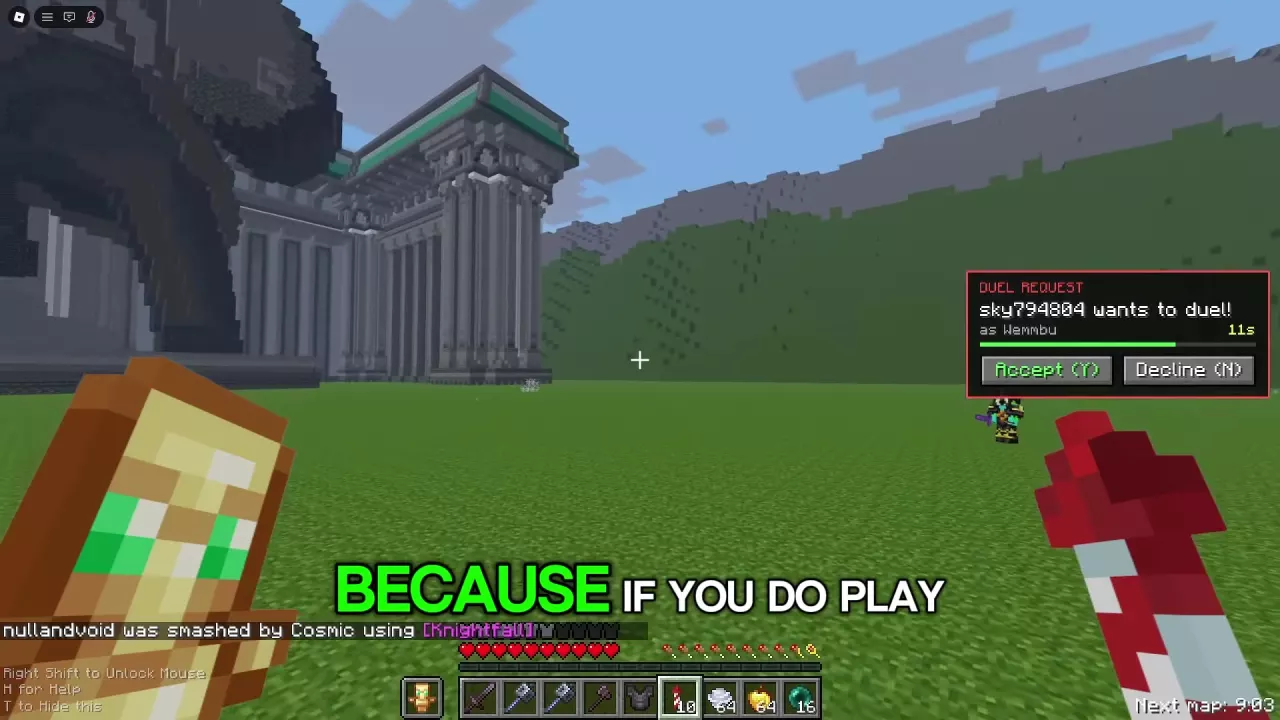
A duel request shows the inviting player's name, character, and a countdown. Requests can also appear while you are in Free For All.
Select Accept or press Y within 15 seconds to start the duel. To refuse, select Decline or press N. Y and N are the default keyboard controls.
Understand Sent, Busy and Cooldowns
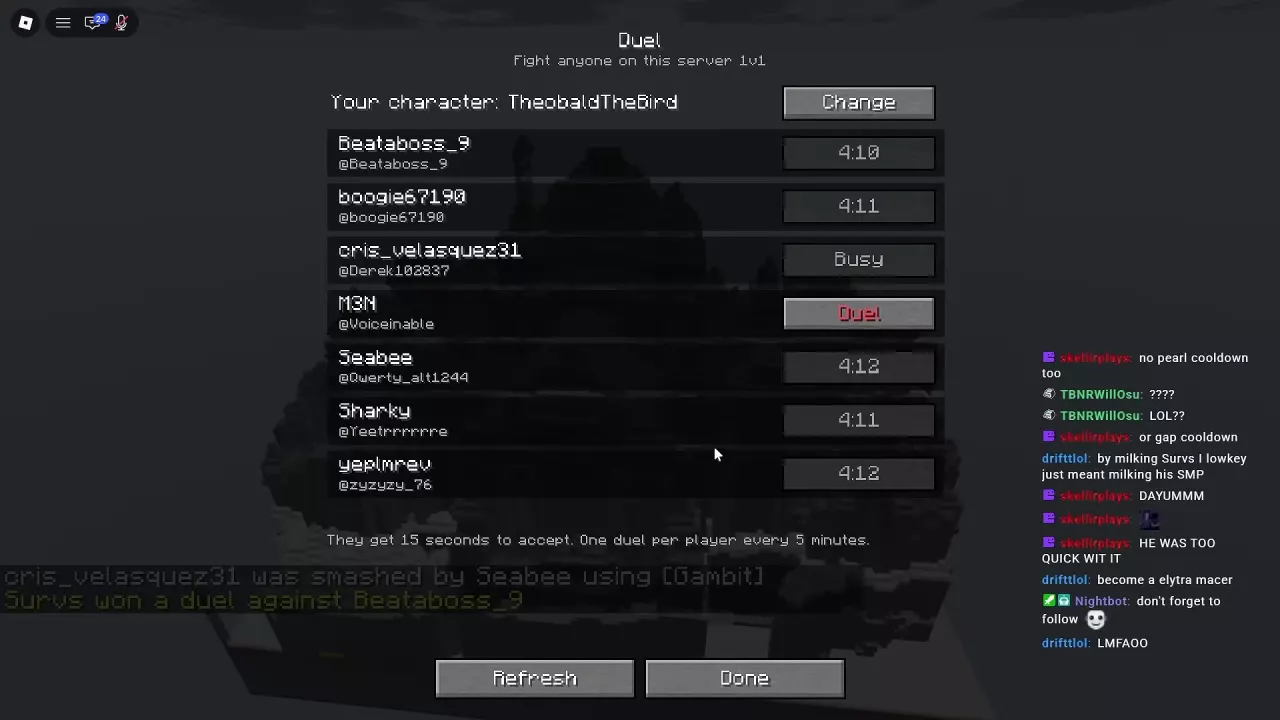
| Player list status | Meaning |
|---|---|
| Duel | The player is available to challenge. |
| Sent | Your invitation has been sent. |
| Busy | The player is currently unavailable to challenge. |
| Countdown | The remaining cooldown for challenging that player. |
You can challenge the same player once every five minutes. This cooldown applies to that opponent, so you can still invite another player whose button says Duel. The invitation's 15-second response window is separate from the five-minute cooldown.
Control Requests and Use Duels for Practice
To stop incoming invitations, open Options from the title screen or the in-game Game Menu, then set Duel Requests to OFF. Set it to ON when you want to receive requests again.
A one-on-one fight gives you room to focus on one skill at a time. Try working on aim and spacing in one duel, then movement, attack timing, healing, or retreating in another. The combat guide covers ground-fighting techniques, while the Practice Dummy guide can help you rehearse your kit before facing a player.
If your opponent leaves, the result can show Victory with “they left”. That result is different from defeating the opponent in combat.