
Choose Your Mode
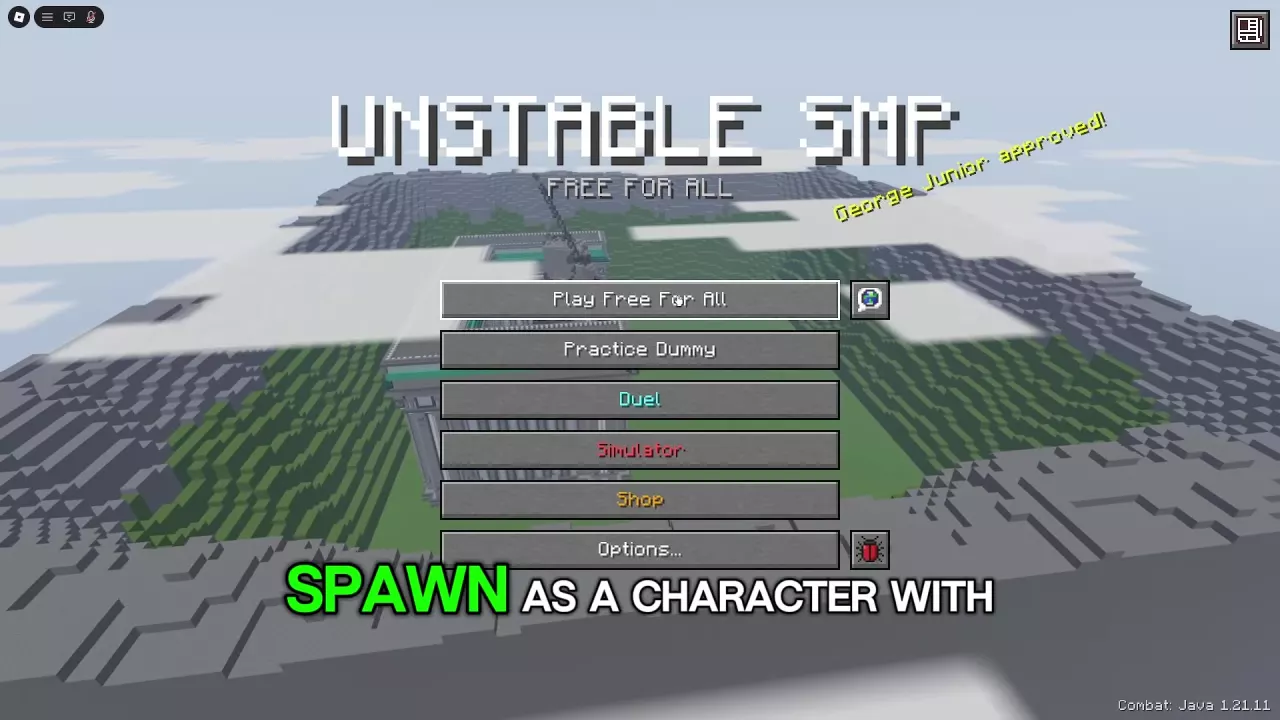
| Main menu entry | Opponent and goal | Good choice when you want to... |
|---|---|---|
| Practice Dummy | A training dummy | Learn a kit’s weapons, item switches, and movement. |
| Duel | One player from the same server | Practice a focused one-on-one fight. |
| Play Free For All | Other players in a shared arena | Fight multiple players and work on staying alive between encounters. Choose a character and press Play to enter. |
| Simulator | Armies whose soldiers fight back and heal | Fight alone or in a party of up to 10 players against up to 100 soldiers. Choose Play Solo, Create Party, or Join a Party. |
Use Shop to browse crates, passes, and customization products. Use Options to adjust controls and other settings; see the PC controls guide for keybinds.
Choose a Kit for Your First Goal
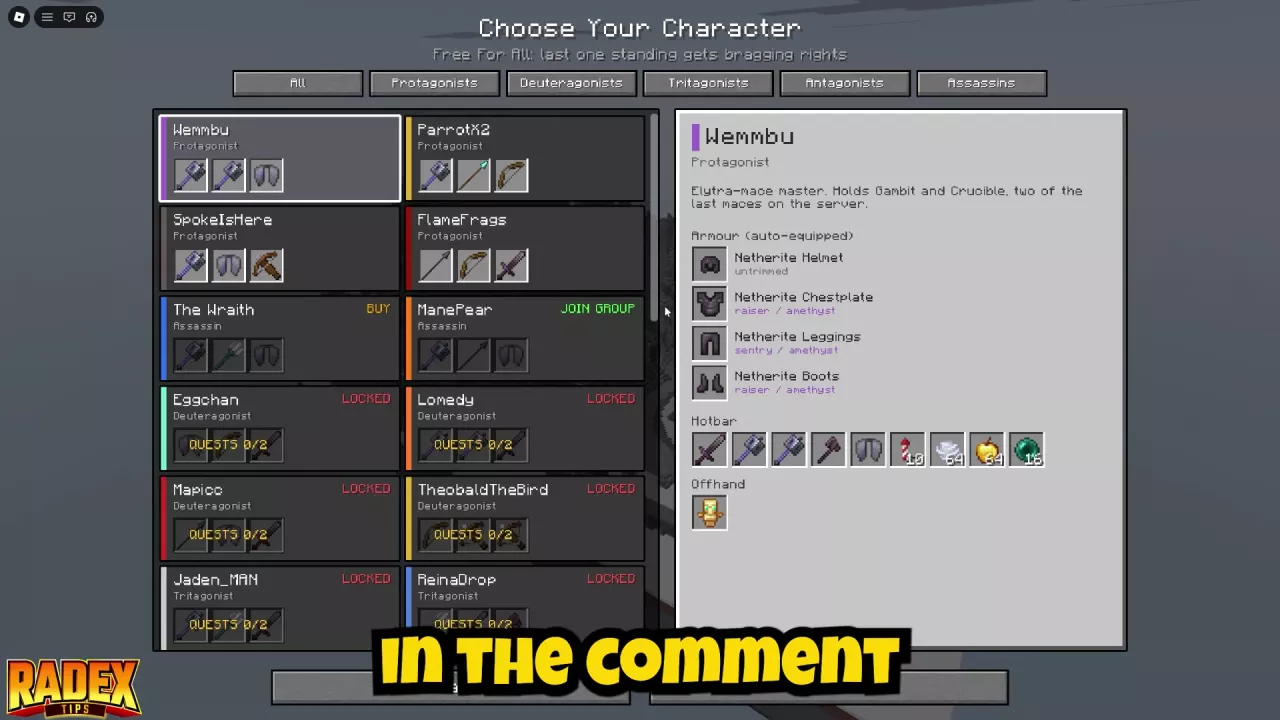
On the character selection screen, select a character to inspect their automatically equipped armor, Hotbar, and Offhand. Compare the weapons, defensive items, and movement tools before choosing a kit available to you.
- FlameFrags or Swight: Both have a shield, an offhand Totem of Undying, melee weapons, and a bow. They give you blocking and survival options while you learn grounded combat. FlameFrags also has a spear; Swight is an axe-focused option.
- Wemmbu: Choose him if you want to learn flight and mace combat. His kit includes Elytra, Firework Rockets, two maces, and an offhand totem. Get comfortable moving and switching items before combining flight with attacks.
- ManePear: His spear-and-mace kit suits a movement and burst-damage goal, but has no shield or totem. If you want those defensive tools while learning, start with another preset.
Keep the kit whose tools you can use consistently. If a character is locked, select them to see their unlock entry; ManePear’s card offers JOIN GROUP. See character unlocks for the available routes, or compare more choices in the beginner kit tier list.
Practice a Few Reliable Tools
- From the title screen, choose Practice Dummy.
- Select a character, review the kit, and press Enter Practice.
- Attack the dummy from different distances. Learn when each weapon reaches the target and leave time between attacks to establish a controlled rhythm.
- Switch between a melee weapon and another useful item until you can find each one quickly. If your kit has a bow, practice changing to it when you are outside melee range.
- Practice creating space to use a Golden Apple. If your kit has Ender Pearls or Wind Charges, practice using them to reposition or escape; learn how to deal with Cobwebs as well.
- For a flight kit, practice taking off, turning, and landing before adding attacks.
Use the dummy’s health feedback to see the result of your attacks. For more ways to structure a session, see the Practice Dummy guide.
Move from Duels to Larger Fights
Choose Duel and challenge a player in your server once you can use your kit’s basic tools. Against one opponent, practice short combinations, allow for weapon cooldowns, and look for a safe moment to recover or retreat. The Duels guide covers invitations and settings.
When you are ready for less predictable fights, choose Play Free For All. Keep an escape route and make room to recover between opponents; the FFA survival guide covers entering the arena and reading your results.
For an army battle instead, choose Simulator. Start with Recruits to practice against soldiers before taking on harder armies. The Simulator guide compares armies and explains battle setup.