Unstable SMPFFA Wiki
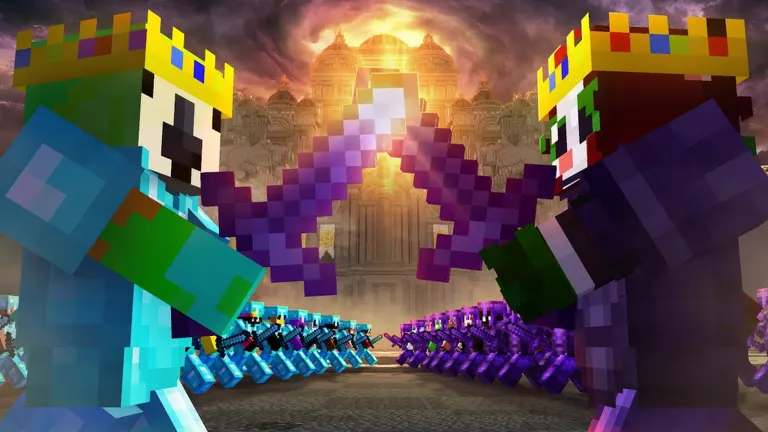
Unstable SMP FFA official artwork
RobloxAction

Unstable SMP FFA Wiki

Last updated:

Unstable SMP FFA is a Roblox combat game built around Unstable Universe characters, preset kits and Minecraft Java-style battles. This Wiki covers character unlocks, combat tools and army challenges, from practice to Free For All and Simulator.

Game overview

Genre
Action
Visits
3M+
Favorites
9K+
Creator
[IS] Insomnia Studios
Release date
2026-10-21
Game updated
2026-11-09

Codes

No codes are currently listed.

The full collection

Explore codes & rewards

Browse all listed codes, check rewards and requirements, and follow the redemption guide.
Getting Started

Getting Started
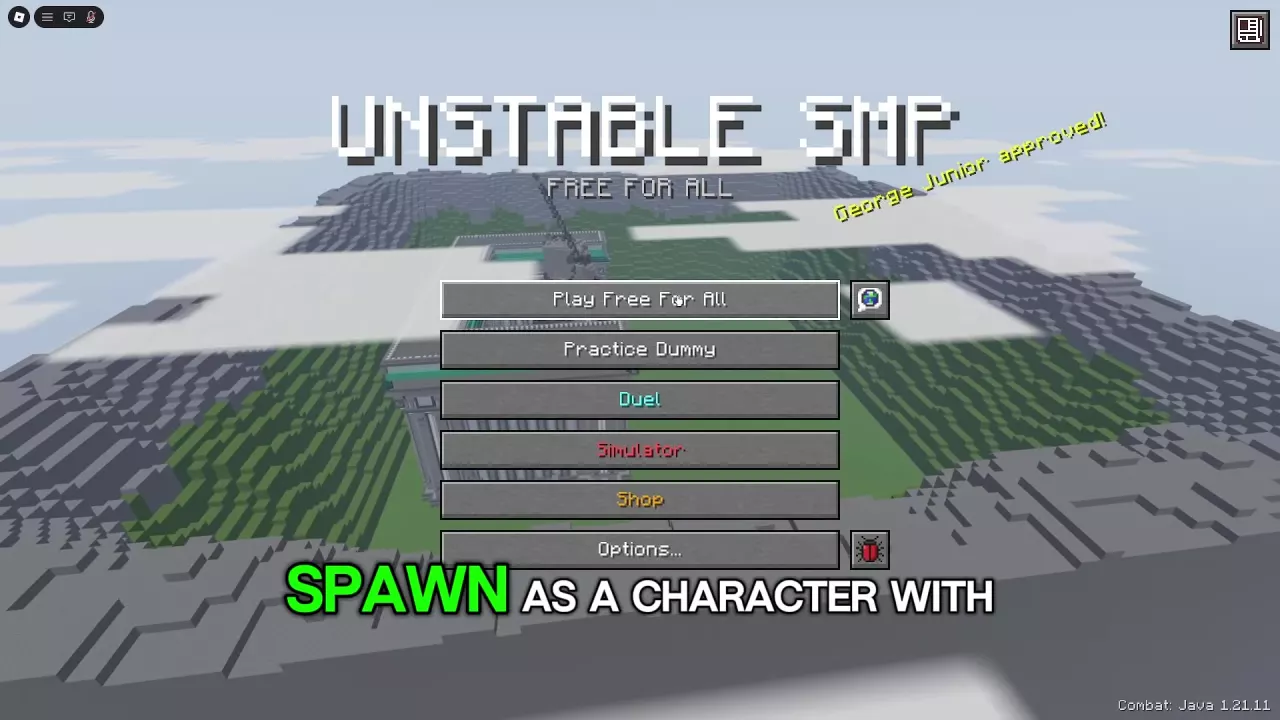
Unstable SMP FFA main menu with mode, Shop, and Options buttons

Unstable SMP FFA Beginner Guide and Game Modes

  1. Start in Practice Dummy. Select an available character, inspect the kit and press Enter Practice.
  2. Learn a few reliable tools. Practice one weapon's reach and timing, movement, and creating space to recover with the supplies your kit carries. For flight, learn takeoff, turning and landing before adding attacks.
  3. Try Duels. Practice short attacks, healing and retreat timing against one reacting opponent.
  4. Choose your next fight. Enter Play Free For All for a shared multiplayer arena, or Simulator for army battles. Recruits is a useful first army.
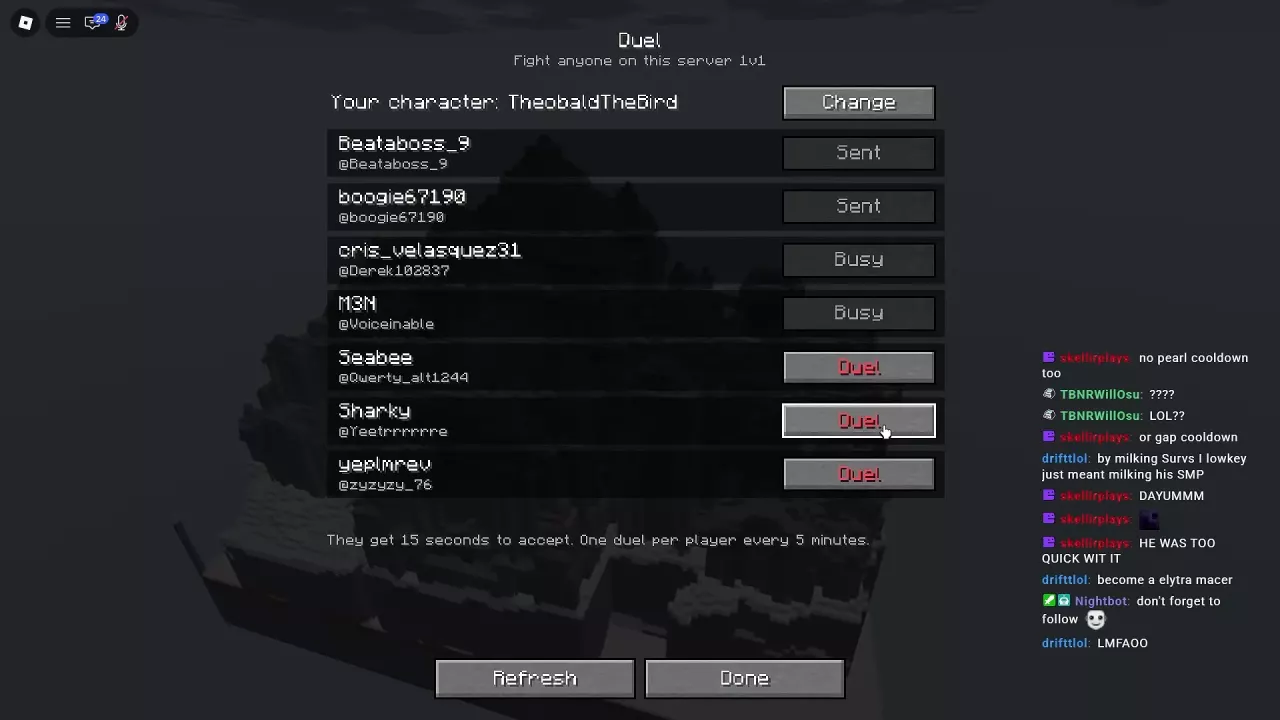
Duel player list showing the current character, Change button, and player invitation statuses.

Unstable SMP FFA Duels: Invites, Cooldowns and Settings

Open Title Screen > Duel and select Duel beside an available player in your server. The recipient has 15 seconds to accept; Y accepts and N declines with default keyboard controls.

You can challenge the same player once every five minutes. That opponent's cooldown does not stop you inviting another available player. To stop incoming invitations, set Options > Duel Requests to OFF.

Characters & Kits

Characters & Kits
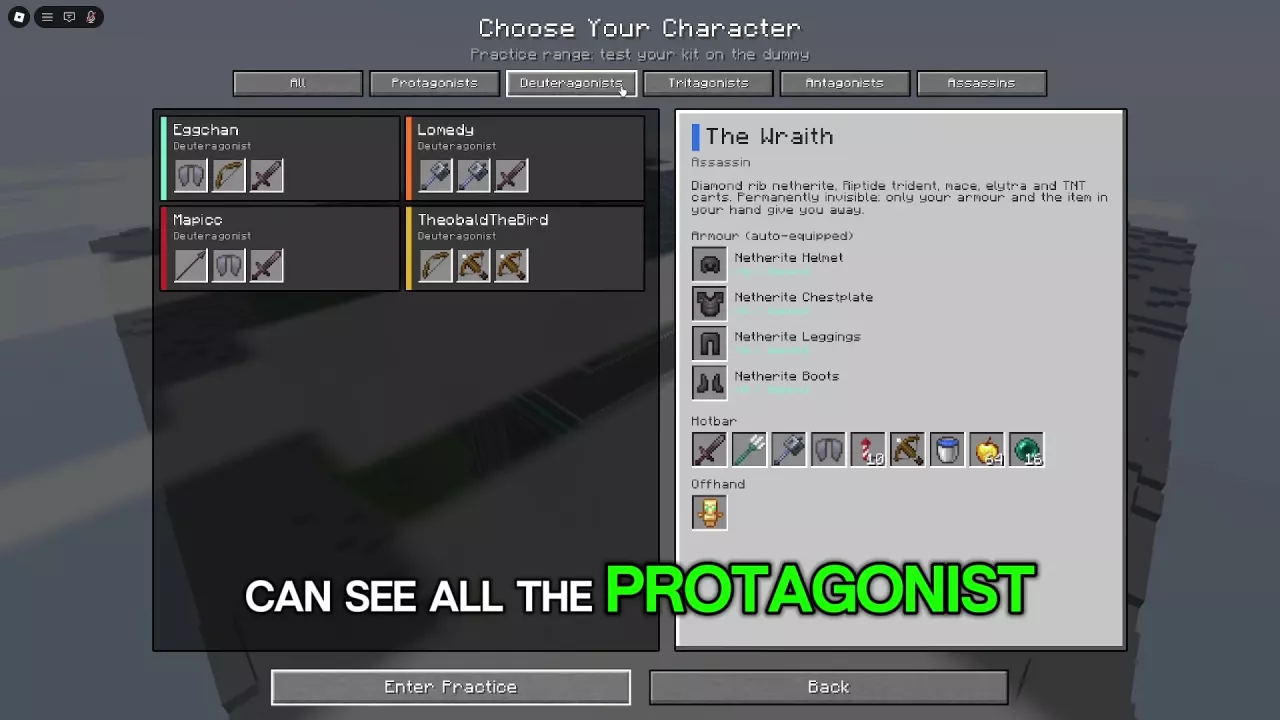
Deuteragonist character cards with The Wraith's previously selected equipment panel still open.

Unstable SMP FFA Characters and Preset Kits

  • Wemmbu: Carries Gambit and Crucible, with Elytra and Firework Rockets for aerial approaches and an offhand Totem of Undying.
  • ManePear: Combines Manespear, mace and sword attacks with mobility. His preset has neither a shield nor a totem, so disengagement matters more.
  • The Wraith: Has permanent body invisibility, but worn armor and held items remain visible and can reveal his position.

Select a character to inspect Armour, Hotbar and Offhand before entering combat.

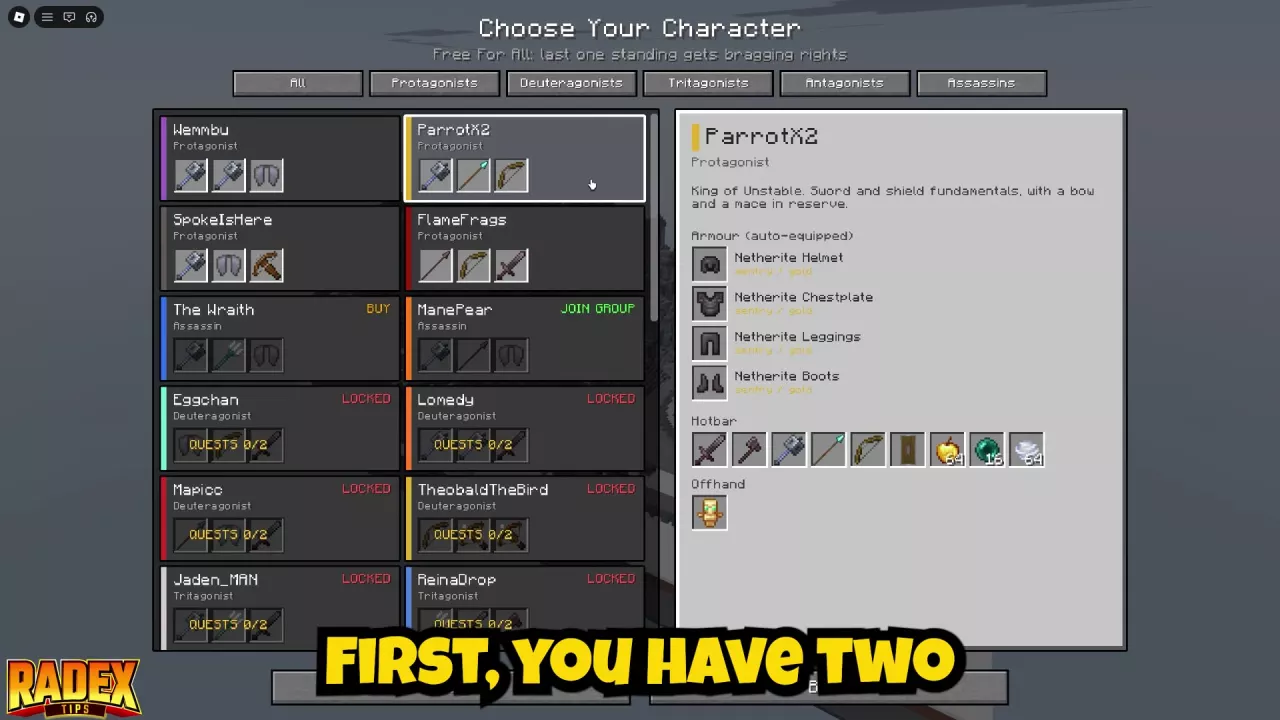
Character selection with category filters, quest counters, BUY and JOIN GROUP labels.

Unstable SMP FFA Character Unlocks and Quests

Unlock Eggchan, Lomedy, Mapicc and TheobaldTheBird together by completing two distinct Deuteragonist quests:

Quest Requirement
1 Get 5 Free For All kills.
2 Win 1 Simulator battle or play 15 minutes of Free For All.
3 Win 2 Duels or play 20 minutes of Free For All.

Either alternative completes its own row; completing both alternatives in one row still counts as one quest.

  • ManePear: Select his card, use JOIN GROUP and join the game's group for a free unlock.
  • The Wraith: His separate 79 Robux pass grants permanent access.

The 99 Robux Unlock Assassins pass excludes both ManePear and The Wraith.

Beginner Kit Tier List

Beginner Kit Tier List

Unstable SMP FFA Beginner Kit Tier List

FlameFrags, Swight and ParrotX2 are recommended starting picks for learning grounded FFA. All three combine melee weapons, a bow, a shield, an offhand Totem of Undying and Golden Apples, giving you ways to attack, defend and recover.

For a specific learning goal:

  • Flight and mace attacks: Choose Wemmbu and learn his movement first.
  • TNT cart combat: Choose TheobaldTheBird; placement and ignition add more actions to each attack.
  • Spear-and-mace attacks: Choose ManePear if you accept having no shield or totem.

These priorities favor beginner FFA fundamentals; specialist choices suit different practice goals.

Combat & Movement

Combat & Movement
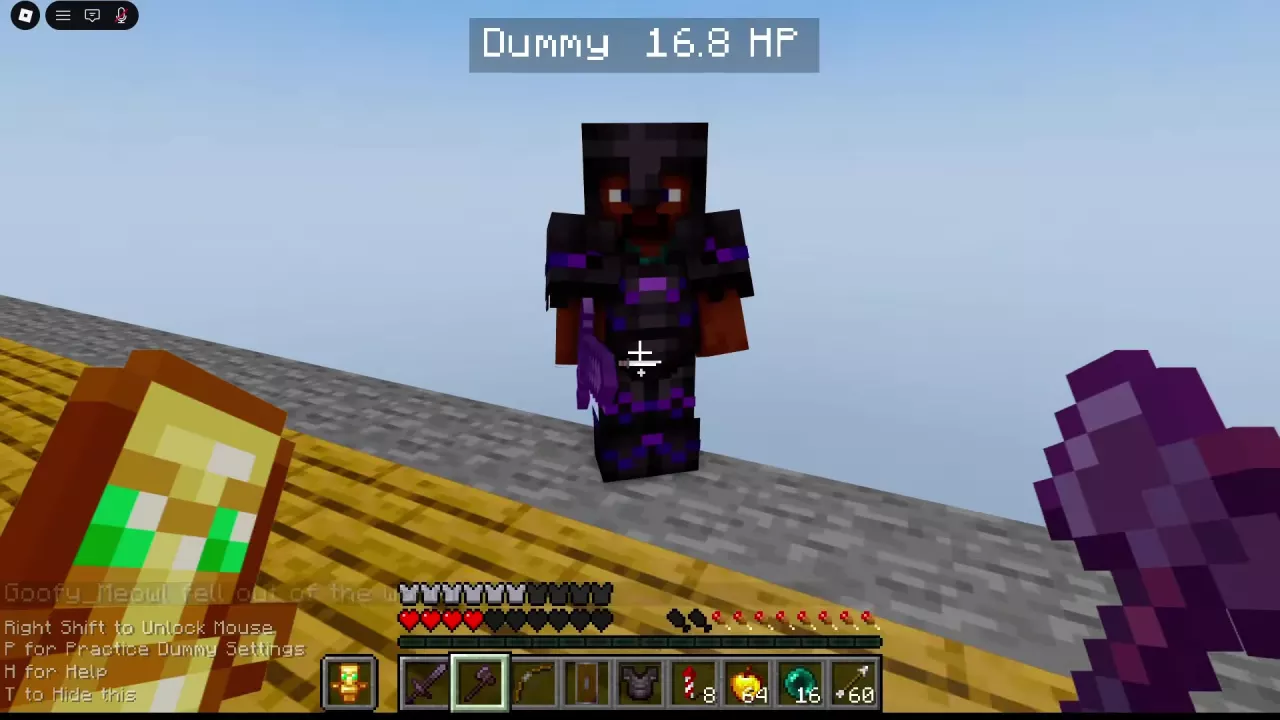
Armored Dummy displaying 16.8 HP with Netherite Axe selected.

Unstable SMP FFA Combat Timing and Ground Combos

  • Aim while strafing: Keep the crosshair following the opponent as you move sideways and respond to knockback.
  • Time short attacks: Learn the selected weapon's cooldown rhythm. After a miss or losing exchange, create space and reset your aim and distance.
  • Shield into sword: With both tools available, face the attacker, raise your shield, then switch to your sword to counterattack.
  • Cobweb follow-up: Restrict the target's movement, keep yourself clear of the web, then use melee nearby or a bow from farther away.
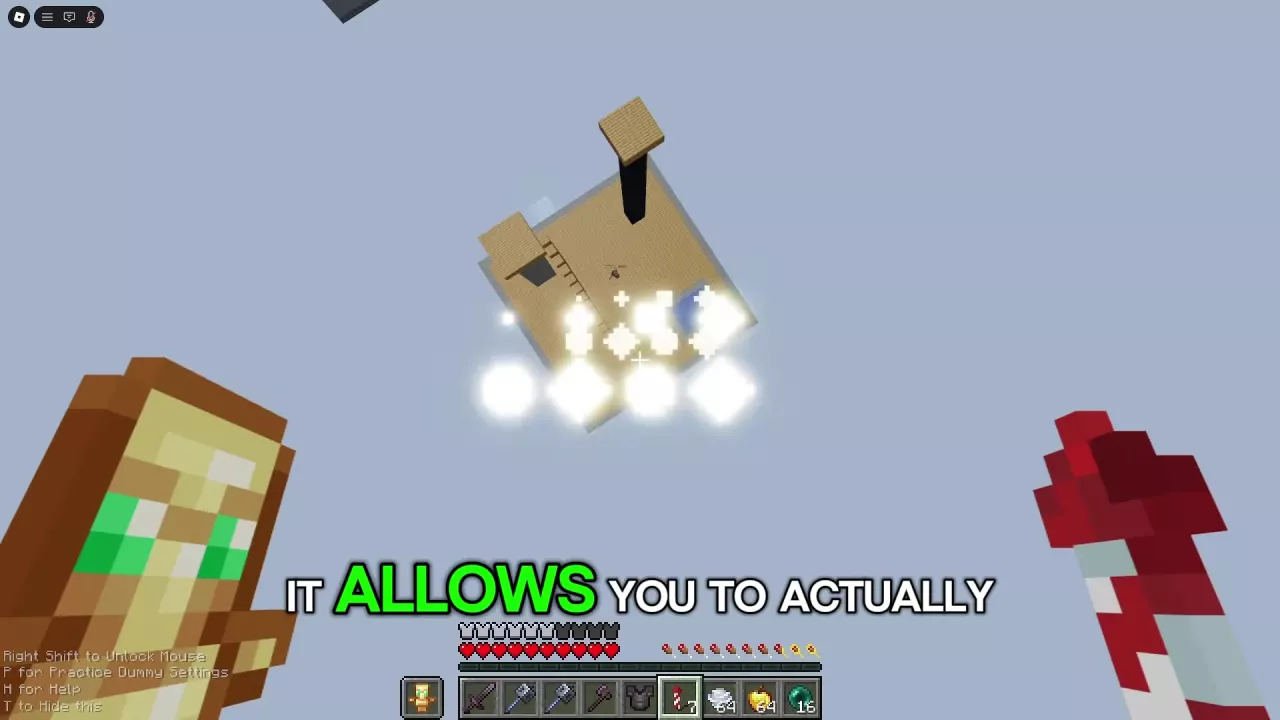
Firework Rocket selected while flying high above the practice platform.

Unstable SMP FFA Movement: Elytra, Wind Charges and Pearls

Choose a route your kit supports:

  • Elytra + Firework Rockets: Equip Elytra before using a rocket for flight. Practice takeoff, turning and landing; rockets are consumed.
  • Wind Charge: Aim at the ground near your feet to gain height or reposition. Aim toward an opponent to push and lift them.
  • Ender Pearl: Throw toward the opponent's route for pursuit, or clear ground away from enemies for escape. After relocating, switch to your next weapon or recovery item.
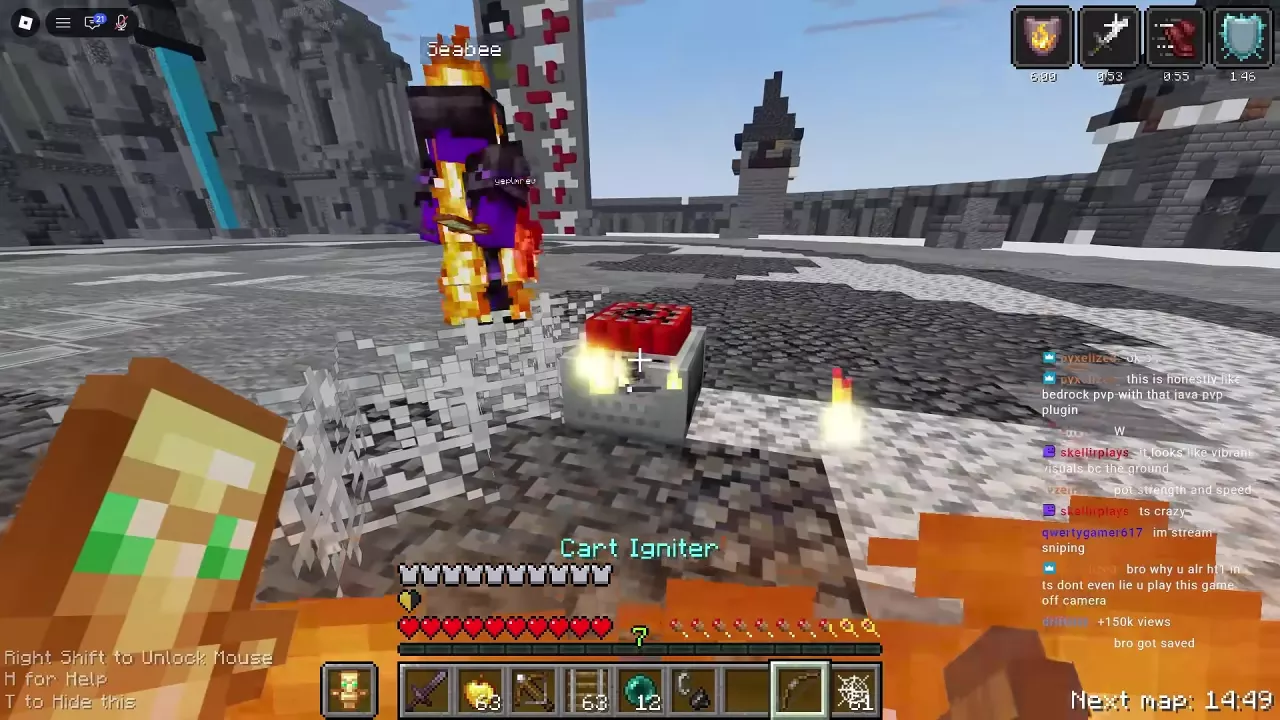
A TNT minecart beside cobwebs and an opponent, with Cart Igniter selected.

Unstable SMP FFA TNT Cart Combat and Cart Restock

With TheobaldTheBird's cart equipment ready:

  1. Restrict movement: Place Cobweb near the opponent.
  2. Build the setup: Lay Rail beside the web, then place Minecart with TNT on the rail.
  3. Attack: Switch to the bow-shaped Cart Igniter and follow with the cart attack.
  4. Follow up: Track survivors and return to sword pressure or another setup.

Explosions can hurt you, leave opponents alive and destroy terrain. Check your health and footing before repeating.

Cart Restock contains 18 TNT minecarts. When you have the red block, move it into the hotbar, place it on the ground and open it. Transfer a cart into your hotbar for the next attack; loose spares can be moved there directly.

Weapons

Weapons
Character selection menu with The Wraith's equipment, hotbar and offhand preview.

Unstable SMP FFA Weapons and Named Gear

Situation Weapon choice
The opponent is within melee reach Sword or axe; keep tracking them between timed attacks.
The opponent runs or flies beyond melee reach Bow; draw and aim while following their movement.

Weapons come with character presets: Wemmbu carries Gambit and Crucible, while ManePear carries Manespear. Inspect the selected kit's equipment before choosing; enchantments depend on the weapon's character, mode and configuration.

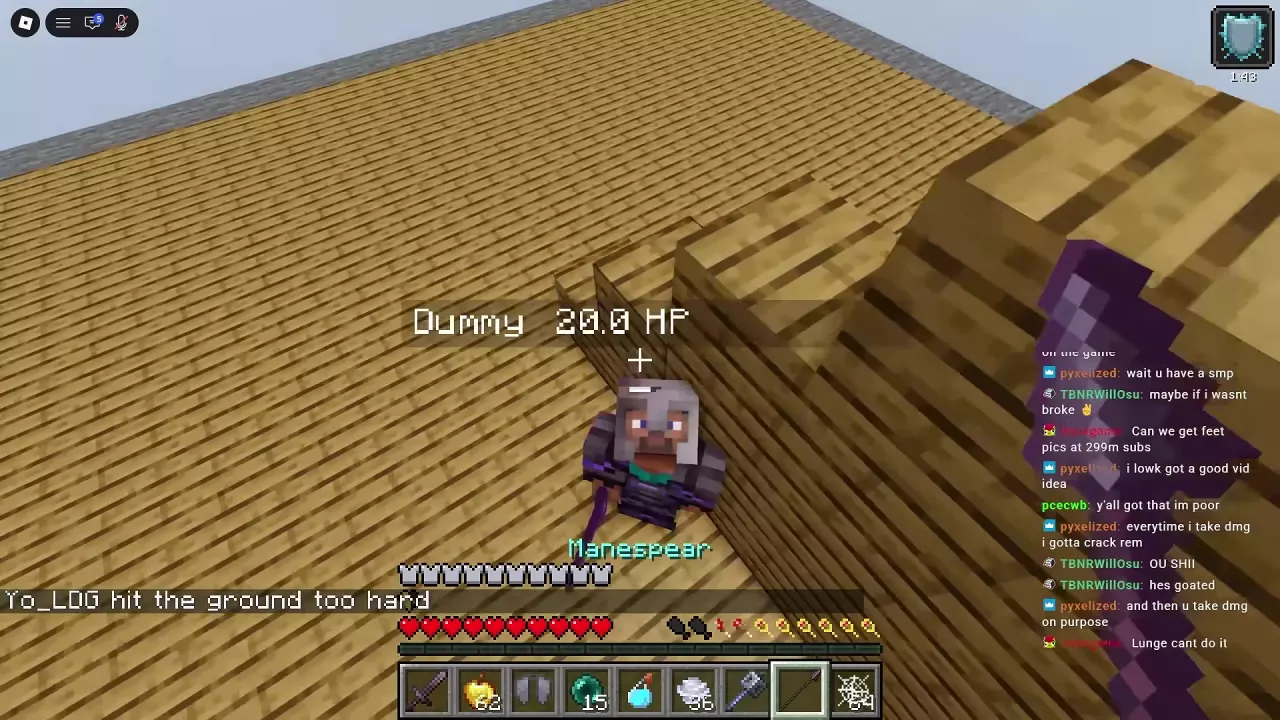
Manespear selected while approaching the Dummy from above beside the wooden wall.

Unstable SMP FFA Mace Attacks and Manespear Approaches

  1. Gain height with a Wind Charge, or equip Elytra and use Firework Rockets if your kit provides both.
  2. Track the target below you throughout the approach.
  3. Switch to your mace or Manespear as you close in, then attack at close contact. If you miss, create distance before another approach.

For ManePear's practice sequence, throw an Ender Pearl upward, switch to Wind Charge to gain and adjust height, locate the Dummy, then select Manespear before switching to Mace during the approach. His preset has no shield or totem; disengage after a bad approach rather than staying exposed.

Items & Armor

Items & Armor
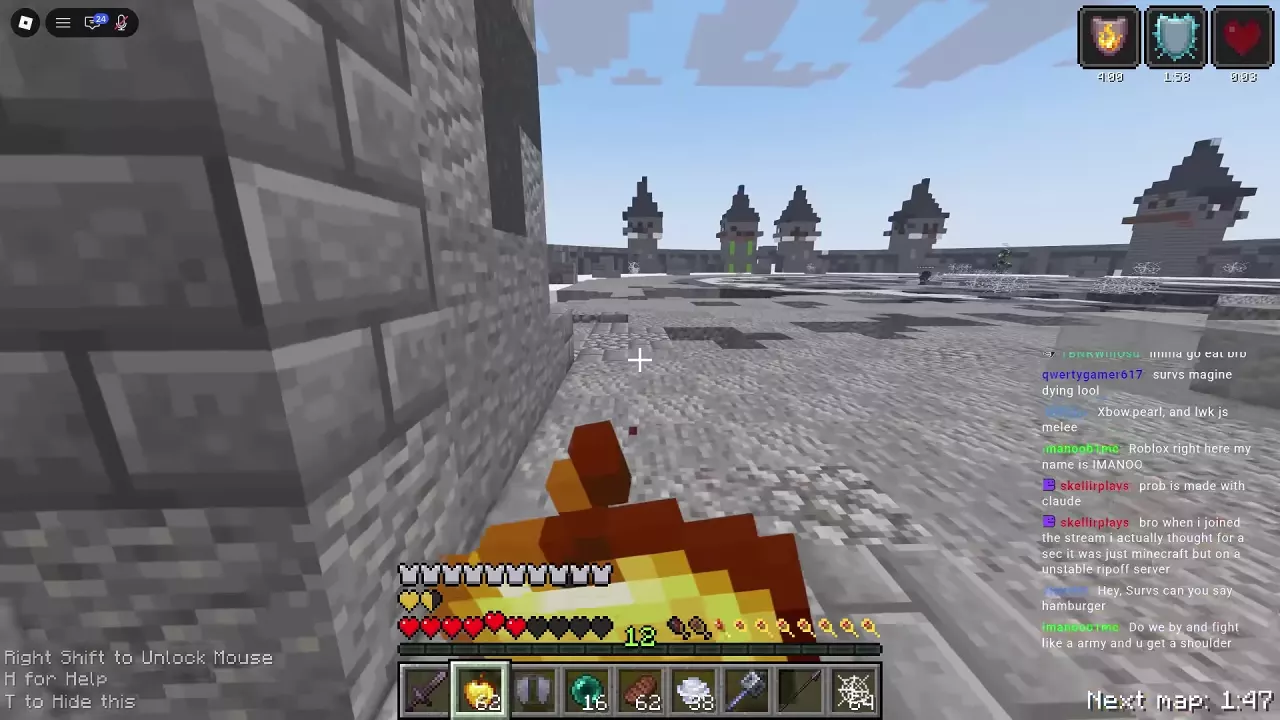
Eating a Golden Apple beside an arena wall with red and golden hearts visible.

Unstable SMP FFA Healing, Potions and Defensive Items

Use the supplies your kit provides:

  • Splash potions: Move the bottle into your hotbar, select it and use it at your feet. Strength prepares for melee, Swiftness supports movement, and Fire Resistance suits fire-related fights.
  • Golden Apple: Create space before eating. It restores red hearts and adds golden hearts; allow recovery to continue before returning to pressure.
  • Totem of Undying: Keep it in the offhand. Activation consumes it, so replace it if you have a spare, then continue recovering. Further attacks can still defeat you.
  • Shield with a totem: Keep the shield in your hotbar so you can select it while leaving the totem in your offhand.

Unstable SMP FFA Armor and Elytra Choices

Character presets automatically equip their armor. Check Armour (auto-equipped) and hover over a piece to read its attributes and enchantments.

Elytra and a chestplate occupy the same chest slot. When your loadout has both, equip Elytra for flight and a chestplate when prioritizing armor protection in close combat. Keep the alternative accessible for switching before health becomes critical.

Simulator & Armies

Simulator & Armies
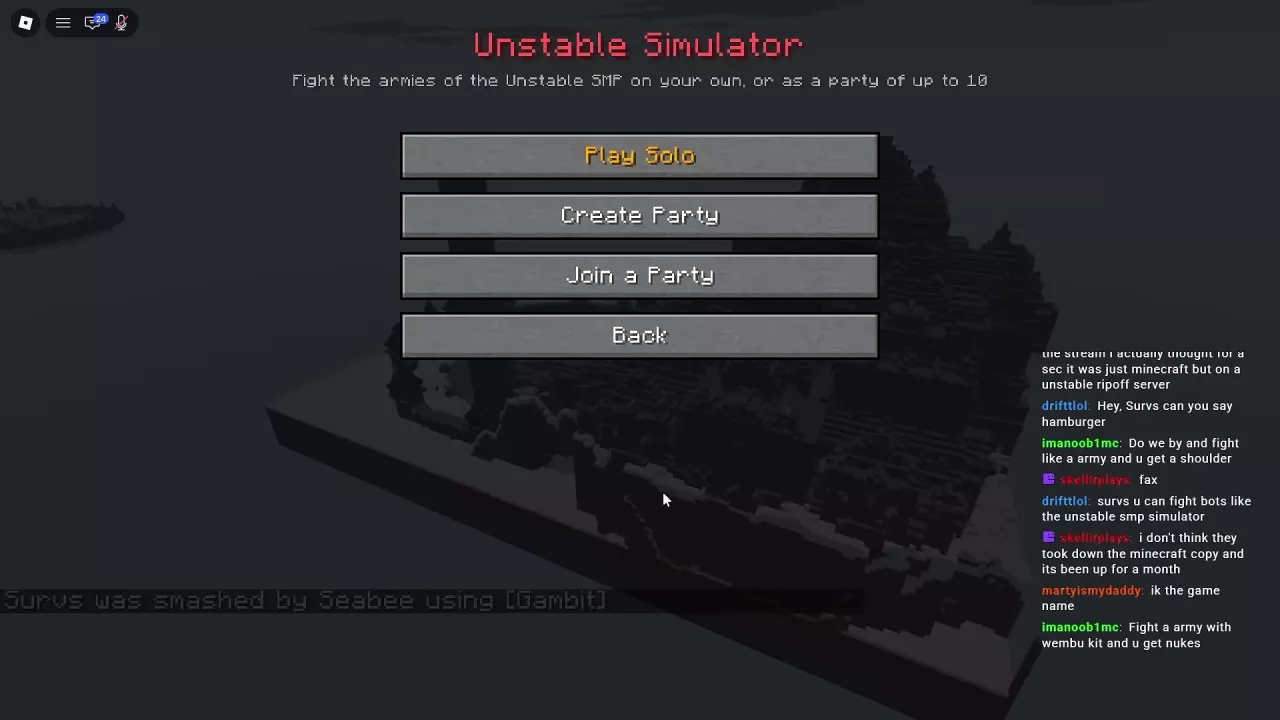
Simulator entry menu with Play Solo, Create Party, Join a Party and Back.

Unstable SMP FFA Simulator Armies and Battle Setup

  1. Open Simulator > Play Solo and wait for loading.
  2. Configure the battle: Select an army, adjust Soldiers, review Map, Armour and Sharpness, then choose Your Character. Settings marked (own) are separate from enemy equipment.
  3. Press Fight! to begin. Start with Recruits for an Easy warm-up against soldiers that move, attack and heal.

For multiplayer, use Create Party or Join a Party; parties support 10 players total. The soldier limit is 100.

The setup warns that more than 50 soldiers may cause lag on phones and older computers. Lower the count for a smaller battle.

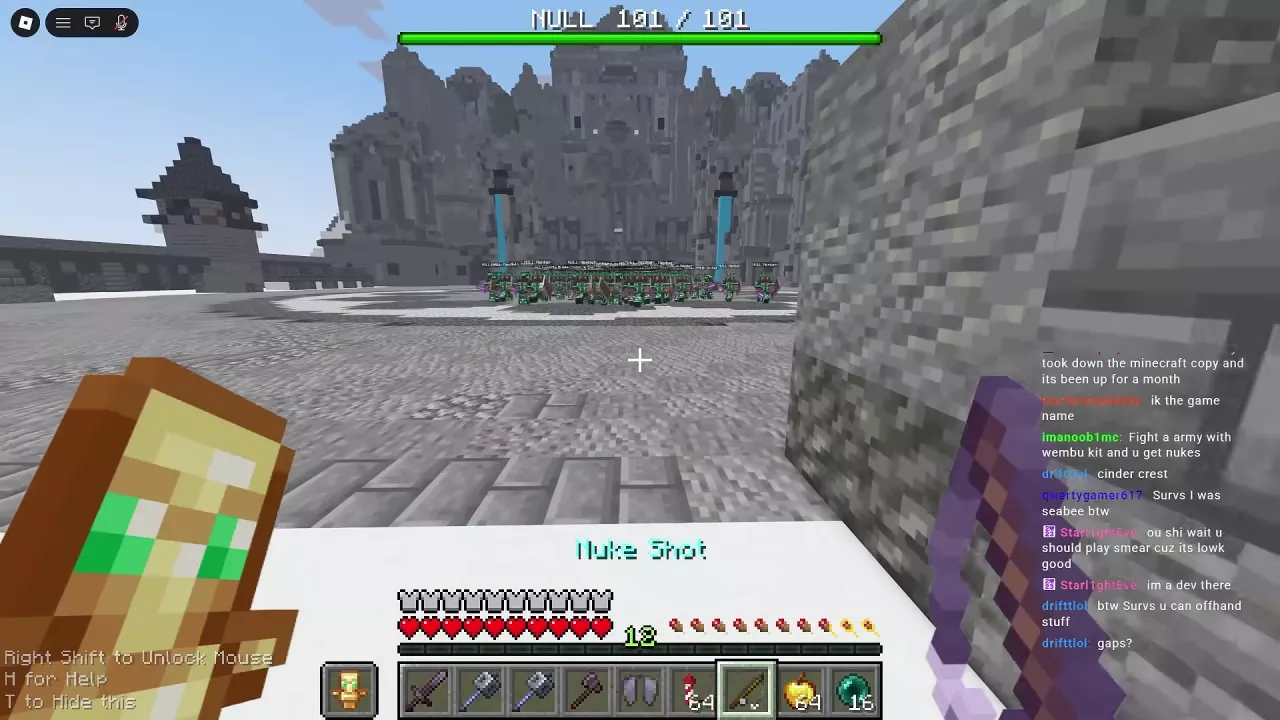
Nuke Shot selected as a large group of NULL soldiers approaches across Northern Council.

Unstable SMP FFA NULL Army and JamatoP Strategy

For the solo, Northern Council, 100-soldier route, bring multiple separate Nuke Shots, Elytra, Firework Rockets, Golden Apples, a chestplate and a finishing weapon. NULL infantry blocks with shields and carries Sharpness II Iron Swords and one Golden Apple per soldier.

  1. Bomb clustered soldiers with Nuke Shot; another bombardment requires another one-use item.
  2. Fly clear and recover with Elytra, rockets and a Golden Apple before attacking the remaining group.
  3. Finish JamatoP after clearing the infantry. Use short engagements, chestplate protection when closing in, and aerial retreats to heal; Crucible provided the finishing kill in this route.

Bombardment can leave deep craters, so reassess landing areas.

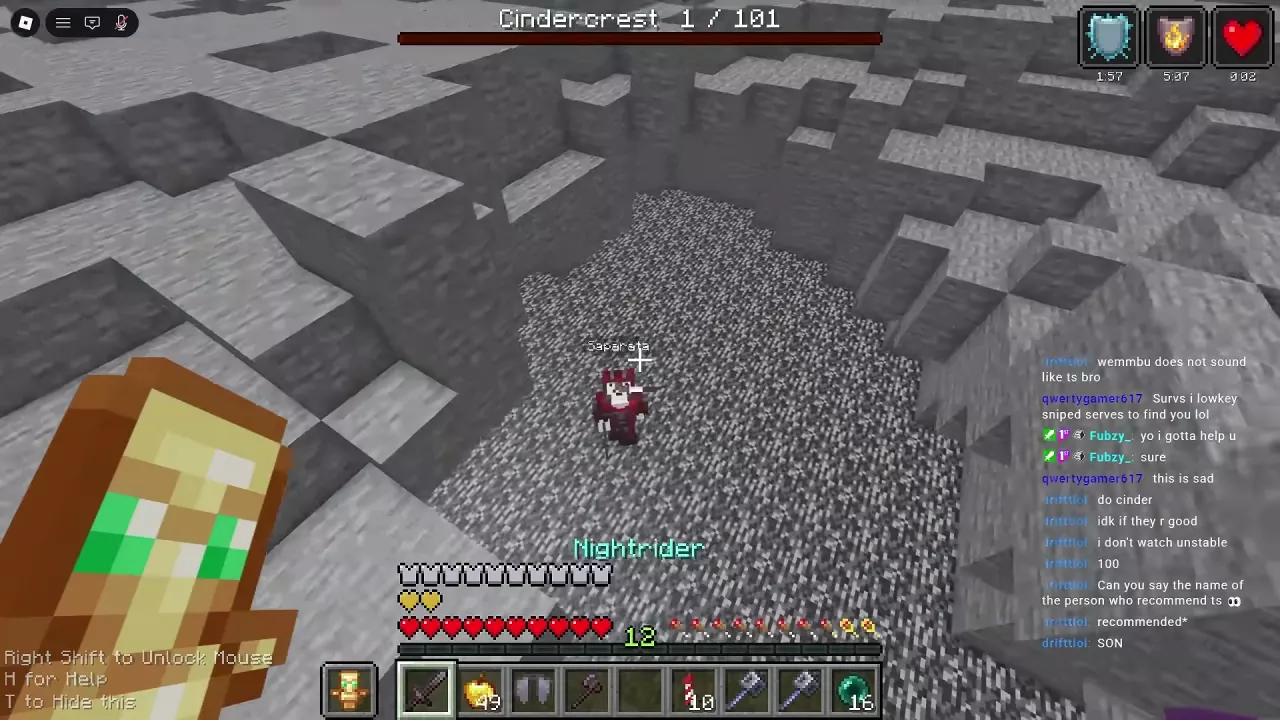
Saparata on the exposed bedrock floor with one Cindercrest enemy remaining.

Unstable SMP FFA Cindercrest and Saparata Solo Strategy

Use this solo Northern Council setup: 100 soldiers, Wemmbu, own Netherite armor and own Sharpness 5. Cindercrest is Hard; its Knights carry Sharpness IV Netherite Swords, axes, shields and three Golden Apples each. Enemy Sharpness IV is separate from your own setting.

  1. Bring separate Nuke Shots and bombard clustered Knights from above. Each Shot is consumed; these supplies are additional to Wemmbu's kit.
  2. Reposition and recover with Elytra, Firework Rockets and Golden Apples. Prepare an early escape from the crowd and watch for craters left by explosions.
  3. Fight Saparata in short engagements. Use the chestplate for close combat, switch to Elytra to leave the crater, heal while airborne and return. Crucible delivered the finishing blow in this route.

Maps

Maps
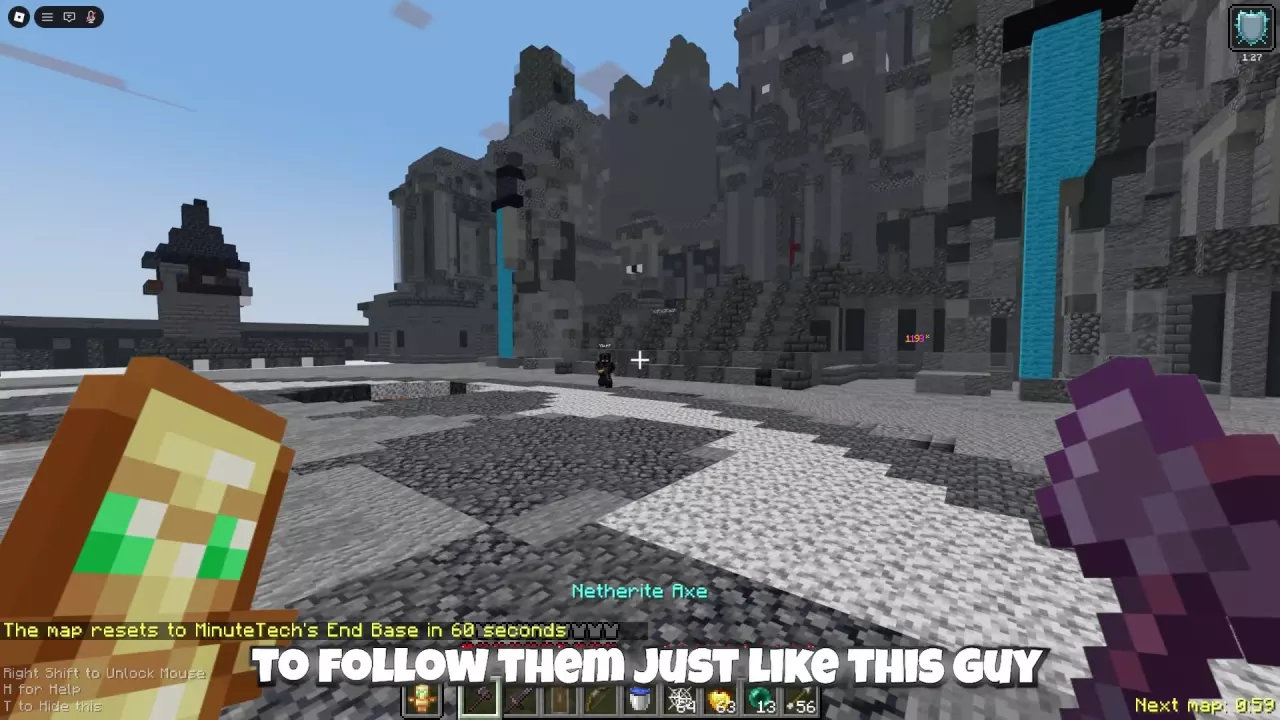
A reset announcement and Next map countdown appear during a fight on Northern Council.

Unstable SMP FFA Maps, Rotation and Northern Council Routes

Northern Council, MinuteTech's End Base, and FlameFrags & Wemmbu's 2v1000 rotate every 15 minutes. In FFA, check Next map in the bottom-right corner for the remaining time; reset notices name the upcoming arena.

Northern Council combines a circular stone arena with castle-side high ground and passages. Elevated positions offer vertical separation, while passages bring fights into close quarters. Explosions can leave pits, and knockback near drops can cause falls, so reassess your route before chasing.

Orbital Drops

Orbital Drops
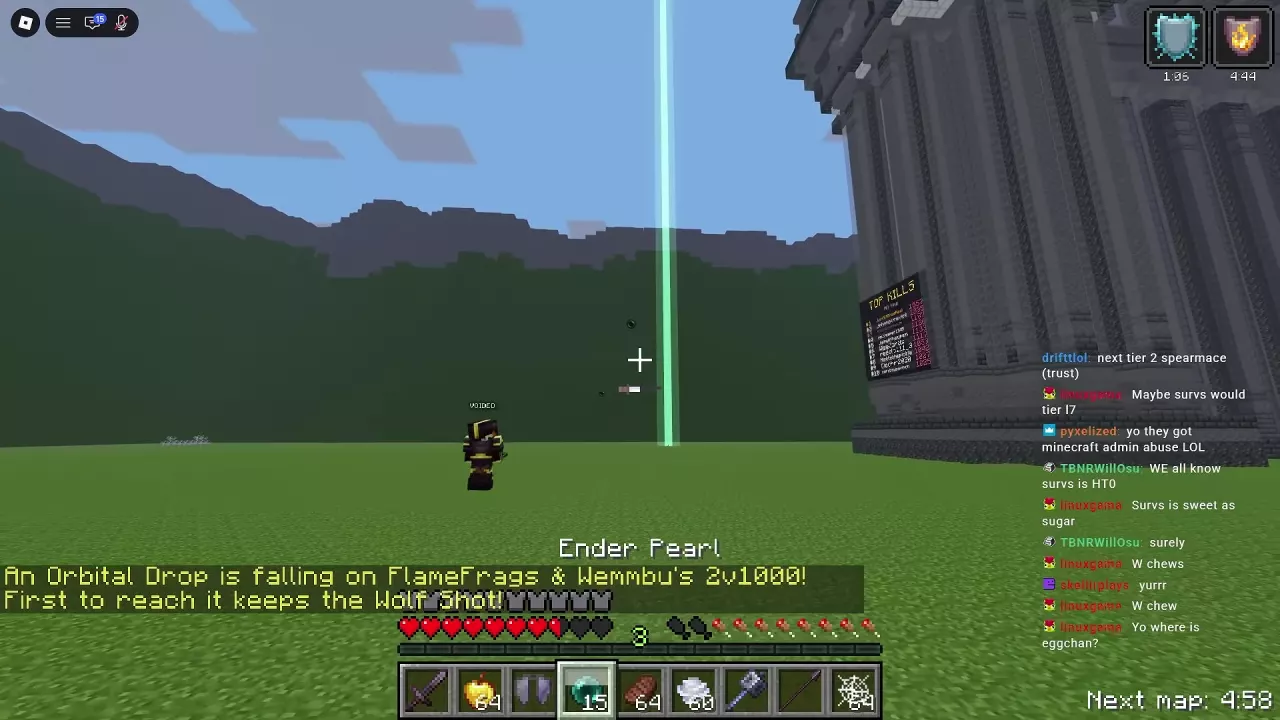
A green beam marks a Wolf Shot Orbital Drop in the arena.

Unstable SMP FFA Orbital Drops: Find, Claim and Vote

  1. Read the FFA announcement for the Shot reward and landing location, then look for the landing point; a green beam can mark it.
  2. Reach the drop first to claim the announced Shot. An Ender Pearl can help close the distance if your kit has one.
  3. Find the reward in inventory and move it into the hotbar when ready to use it.

When ANOTHER ORBITAL DROP? appears, release the mouse with Right Shift by default and choose YES!! or no bro... A majority vote in favor can lead to another drop.

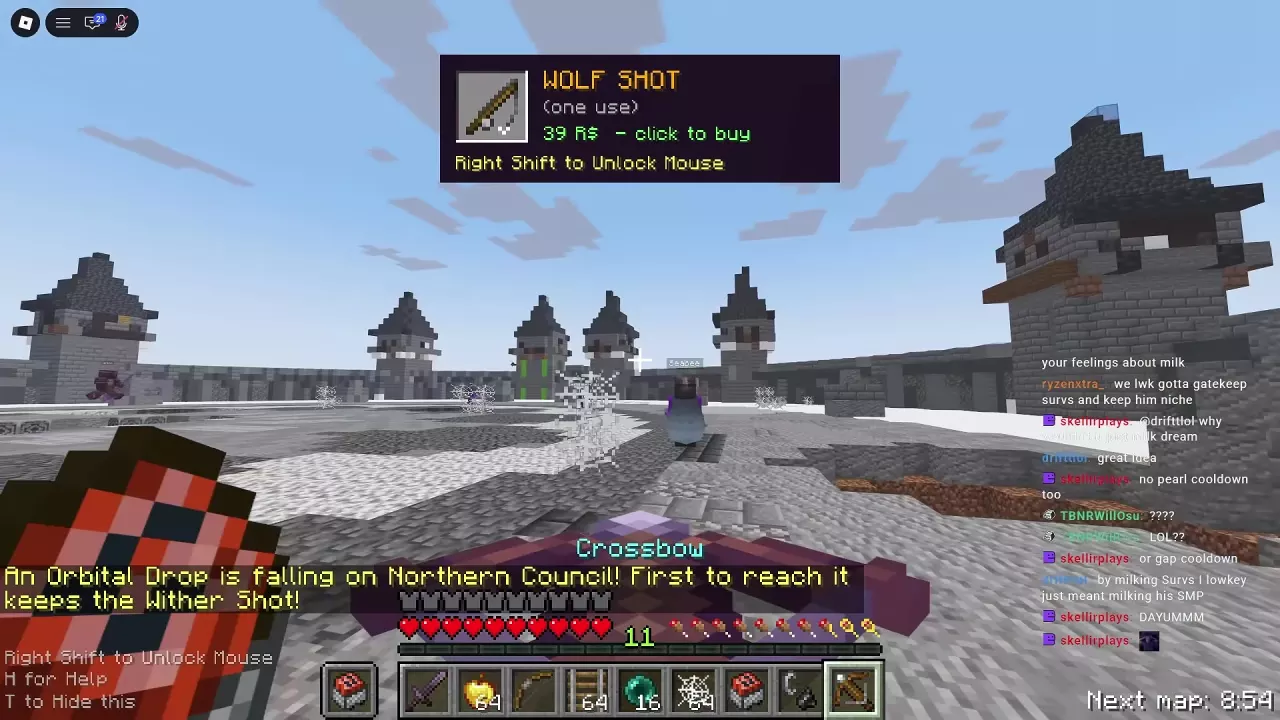
Wolf Shot purchase offer with the Right Shift prompt above a Wither Shot drop announcement.

Unstable SMP FFA Shots: Prices, Sources and Uses

Shot Shop price
Stab Shot 29 Robux
Nuke Shot 49 Robux
Wolf Shot 39 Robux
Wither Shot 79 Robux

All four are one-use items. Wither Shot carries the 3 WAVES product label.

FFA Orbital Drops award the Shot named in their announcement. In Simulator, an accessible Orbital Box lets you transfer Nuke Shots into your inventory. Repeated bombardment requires multiple separate items; check tooltips because Nuke and Stab Shots have similar rod-shaped appearances.

Customization

Customization

Unstable SMP FFA Skins and Skin Crate

Skin Crate gives random equipment skins without duplicates. One opening costs 79 Robux; three cost 199 Robux. If you already want three openings, the bundle saves 38 Robux compared with three singles.

With none of the four series collected, the displayed series chances are Frostbite 50%, Inferno 30%, Celestial 15% and Voidreaver 5%. Each series contains five skins.

Equipment skins change appearance and do not improve combat performance. Open My Skins on the crate card to view your collection.

Unstable SMP FFA Kill Effects and Vault Odds

Kill Effects Vault awards random effects without duplicates. One opening costs 49 Robux, or buy three for 129 Robux—a saving of 18 Robux if you already intend to open three.

Effects play where a defeated opponent falls and do not improve PvP ability. In Shop > Kill Effects Vault, select Preview beside a reward to preview it or My Kill Effects to open your collection.

Unstable SMP FFA Customization Options and Emotes

  • Custom Shield — 99 Robux: Choose a banner base color and add up to six patterns using 16 dye colors. Its Shop card has Try Designs.
  • Emotes — 149 Robux: Choose eight actions for your wheel. With default controls, hold B, point at an emote and release B to play it; move to stop. Use your assigned Emote Wheel key if rebound.
  • Custom Death Messages: Set the message everyone in the server sees when you kill another player. Access costs 99 Robux individually and is also included with VIP.

Game Passes

Game Passes

Unstable SMP FFA Game Passes and VIP Value

VIP costs 399 Robux and includes Custom Armor Trims, Custom Name Tag, Custom Death Messages, Custom Skins, a gold [VIP] title, one Nuke Shot and one Stab Shot.

If you want all four customization features and own none, their individual prices total 496 Robux, so VIP saves 97 Robux. If you only need some features or already own any, compare the cost of what you still want against the 399-Robux bundle.

Custom Kit Creator costs 149 Robux. It lets you build a loadout in Kit Editor, name its items and play using the Custom kit.

Controls & Settings

Controls & Settings
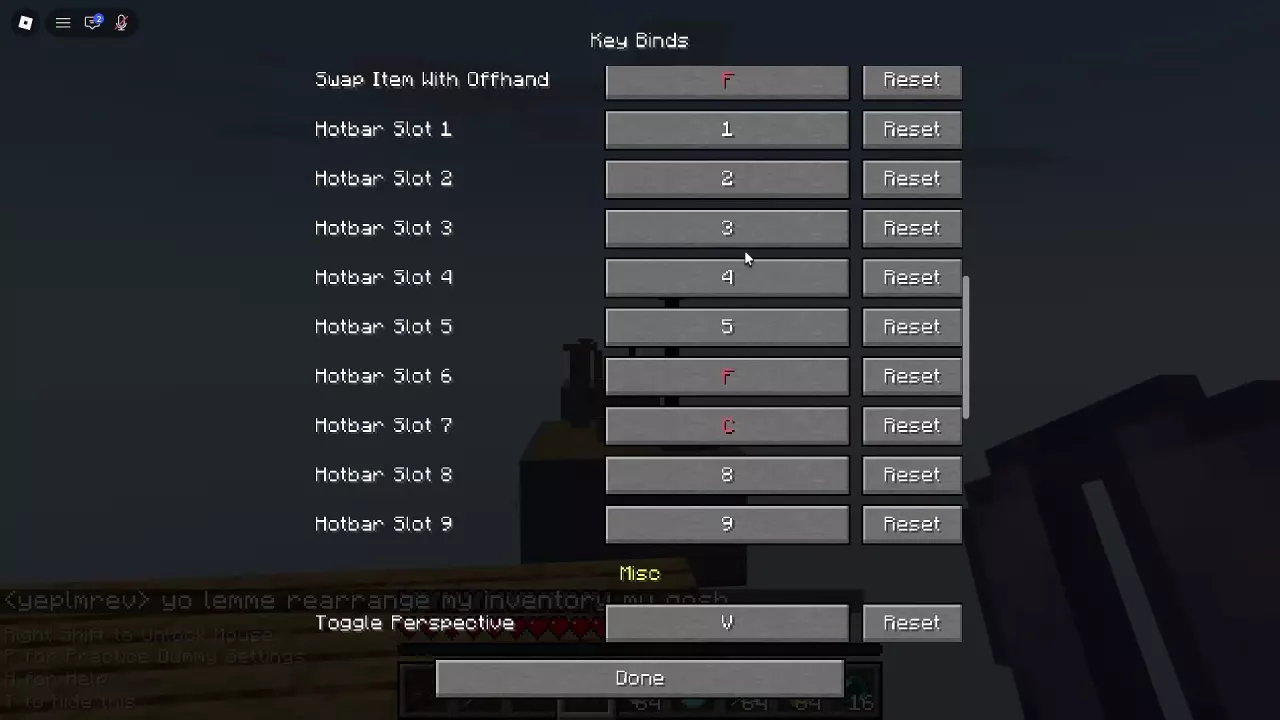
Key Binds menu showing red F and C hotbar bindings and Reset buttons

Unstable SMP FFA PC Controls and Keybinds

Default PC input Action
Left mouse button Attack or destroy
Right mouse button Use an item or place a block
Right Shift Release the mouse cursor
H Open or close Controls help

Change bindings under Game Menu > Options > Controls: select an action's current key and press its replacement. Set Sprint: Toggle to ON if you prefer not to hold the sprint key. Duplicate bindings appear in red.

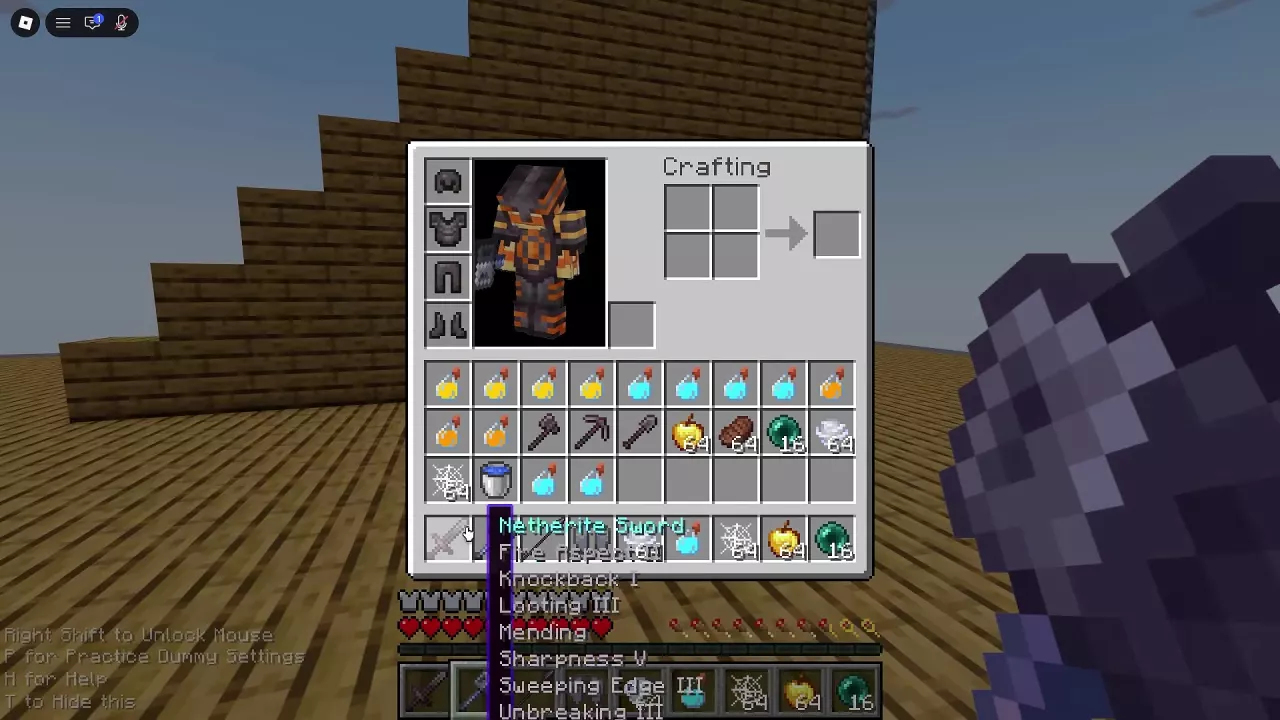
Open inventory showing armor slots, storage, hotbar and a Netherite Sword tooltip

Unstable SMP FFA Inventory, Hotbar and Offhand

Press E to open or close inventory. Move your chosen weapon, movement tools and recovery supplies into the nine-slot hotbar; hover over unfamiliar items to identify them.

With default PC controls, 1–9 selects a hotbar slot and F swaps the selected item with the offhand. You can also place a totem directly into the offhand slot beside the character preview. If you changed these bindings, use your assigned keys.

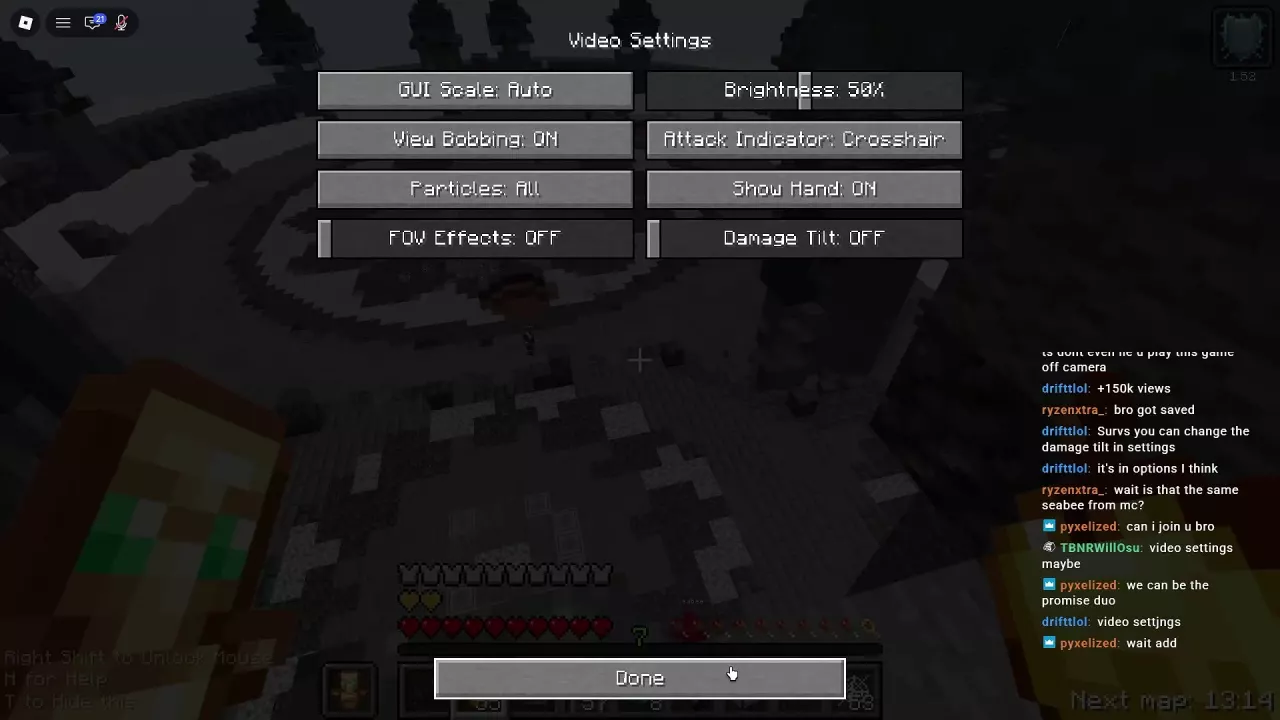
Video Settings menu with FOV Effects and Damage Tilt set to OFF

Unstable SMP FFA Settings, Sensitivity and Damage Tilt

  • Disable screen effects: Open Game Menu > Options > Video Settings and set Damage Tilt and FOV Effects to OFF separately.
  • Adjust sensitivity: Open Roblox Settings > View & Controls > Camera Sensitivity, adjust the control, then return to Practice Dummy to test quick turns and close tracking. Lower it if you consistently turn past the target.

Scripts

SHAMANCODE

A combat, movement, and visual script for Unstable SMP FFA.

Unstable SMP Script

A combat utility for Unstable SMP FFA with automatic attacks, totem management, targeting assistance, and pearl controls.

Recent articles

Frequently asked questions

Is Nuke Shot part of Wemmbu's kit?

No. Nuke Shots are separate one-use supplies. Obtain them through the Shop, the VIP bonus or an accessible Simulator Orbital Box. Carry multiple copies for repeated bombardments; see Shot sources and uses.

Are Custom Skins and Skin Crate the same purchase?

No. Custom Skins lets you choose a character appearance for any kit and costs 99 Robux individually or comes with VIP. Skin Crate awards random weapon and armor appearances. The skins guide explains both.

Do I have to wait five minutes before challenging anyone else?

No. The five-minute cooldown applies to challenging the same player. You can invite another player whose button says Duel. The recipient's 15-second acceptance window is separate; see Duels.